When you visit the book data, you will see the site as shown. Below the Heading section is all the books we currently have information and knowledge about.
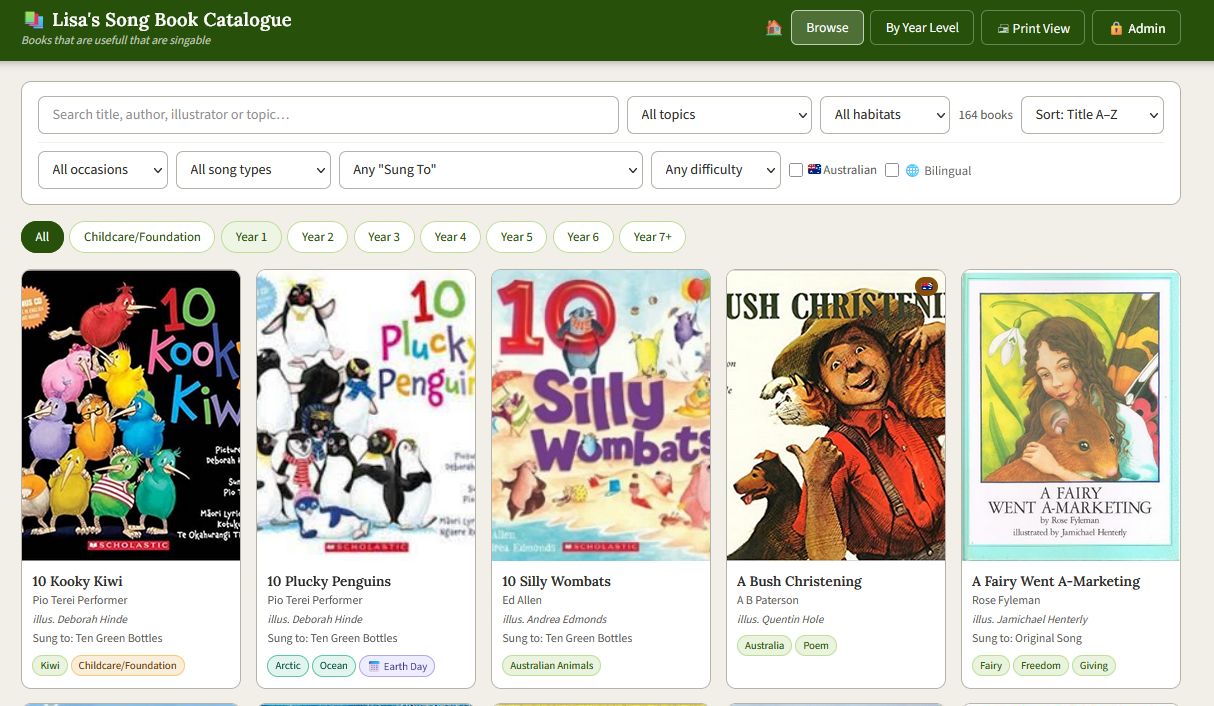
The header block 
- Home button (little House), which will bring you back to this document section.
- Browse, will clear all sort criteria (Which is described below)
- By Year Level, gives you a minimalist list
- Admin, is for site editors to update and add books (Users can ignore this)
Below this is a block to only show books that meet some criteria

- The search box is matching free form data, for example author name
- Sort button is for ordering the books shown
- Number of books in database is shown next to Sort button
- Clicking any of the other buttons, allows you to select books with that category. NOTE: return to the option "All xxxxx" clears the selection
- Australian, gives on those with Australian song or theme
- Bilingual, books for which there is a version in another language than English
Below this you can set the year
 NOTE: these are toggles so you can set as many as you want. All clears the toggles